For agencies and studios
Scope client apps before you quote them
Throughplan is an app scoping tool for agencies. Turn a client brief into a clickable wireframe, a technical specification and an effort estimate, and agree on the scope before development starts.
The problem
A brief covers the vision, not the whole app
A client knows what the app is for, but rarely how many screens it takes for the whole thing to make sense: sign-up and recovery, settings, empty and error states, admin tools, notifications.
When the scope is agreed on the vision alone, those screens appear during development, and the question of who pays for them arrives after the contract is signed.
Throughplan moves that discovery to the start of the project, while it is still cheap.
How agencies use it
From the first call to an agreed scope
Capture the brief
Describe the app to the AI assistant during or after the discovery call. It draws the screens and connects them into a clickable wireframe.
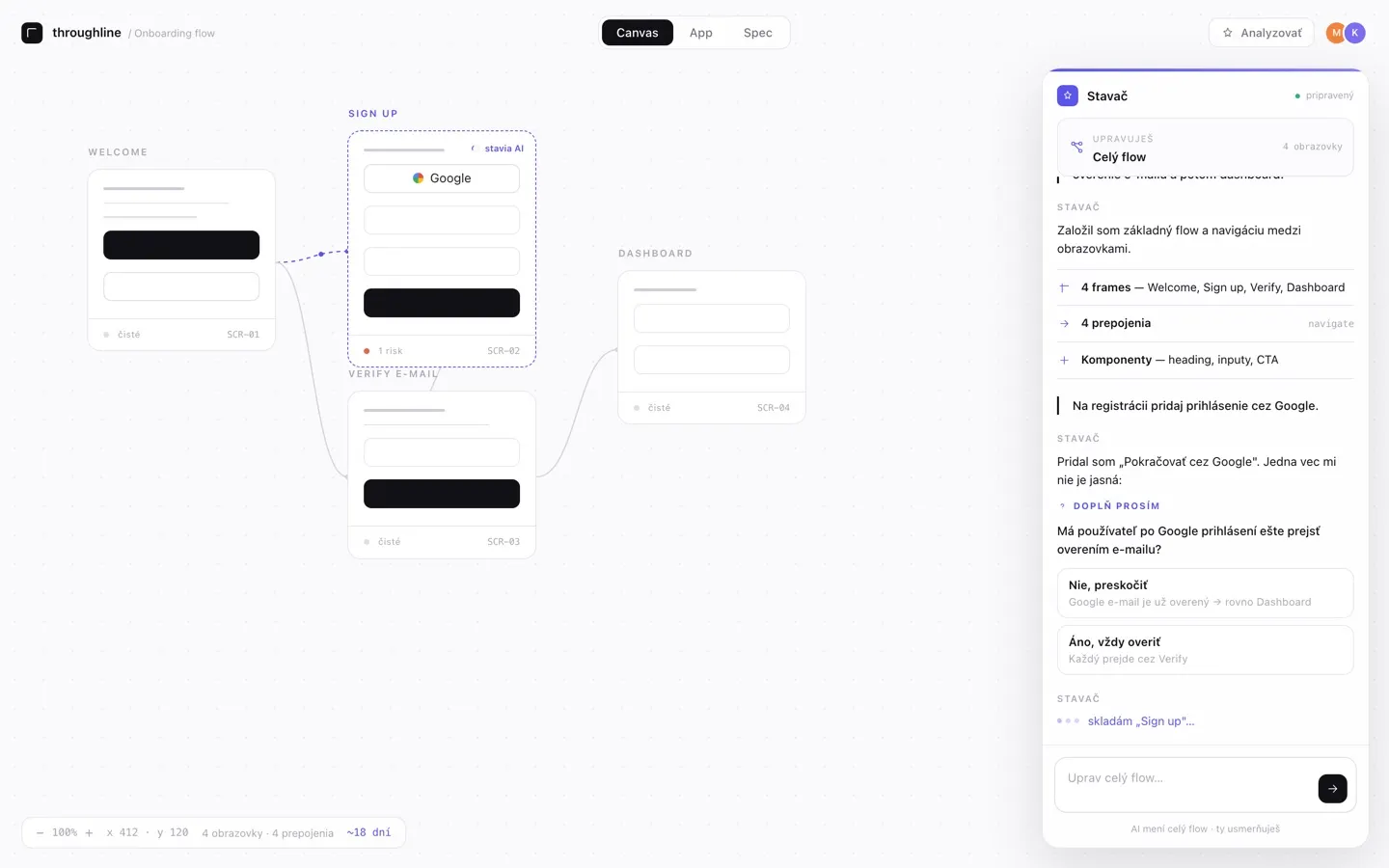
Walk your client through it
Send your client a share link. They click through the prototype and, if you allow it, comment on the screen they are looking at, without creating an account.
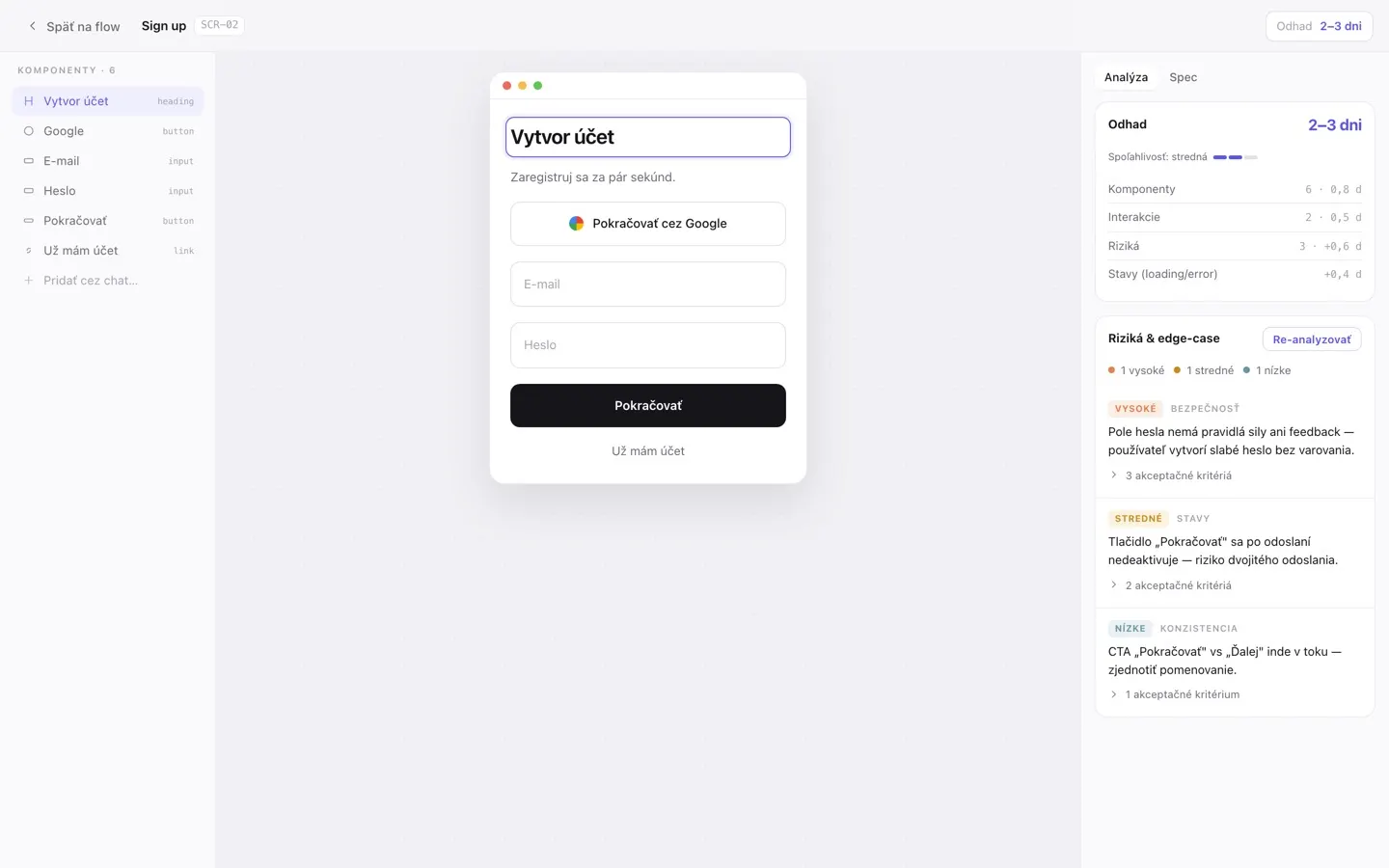
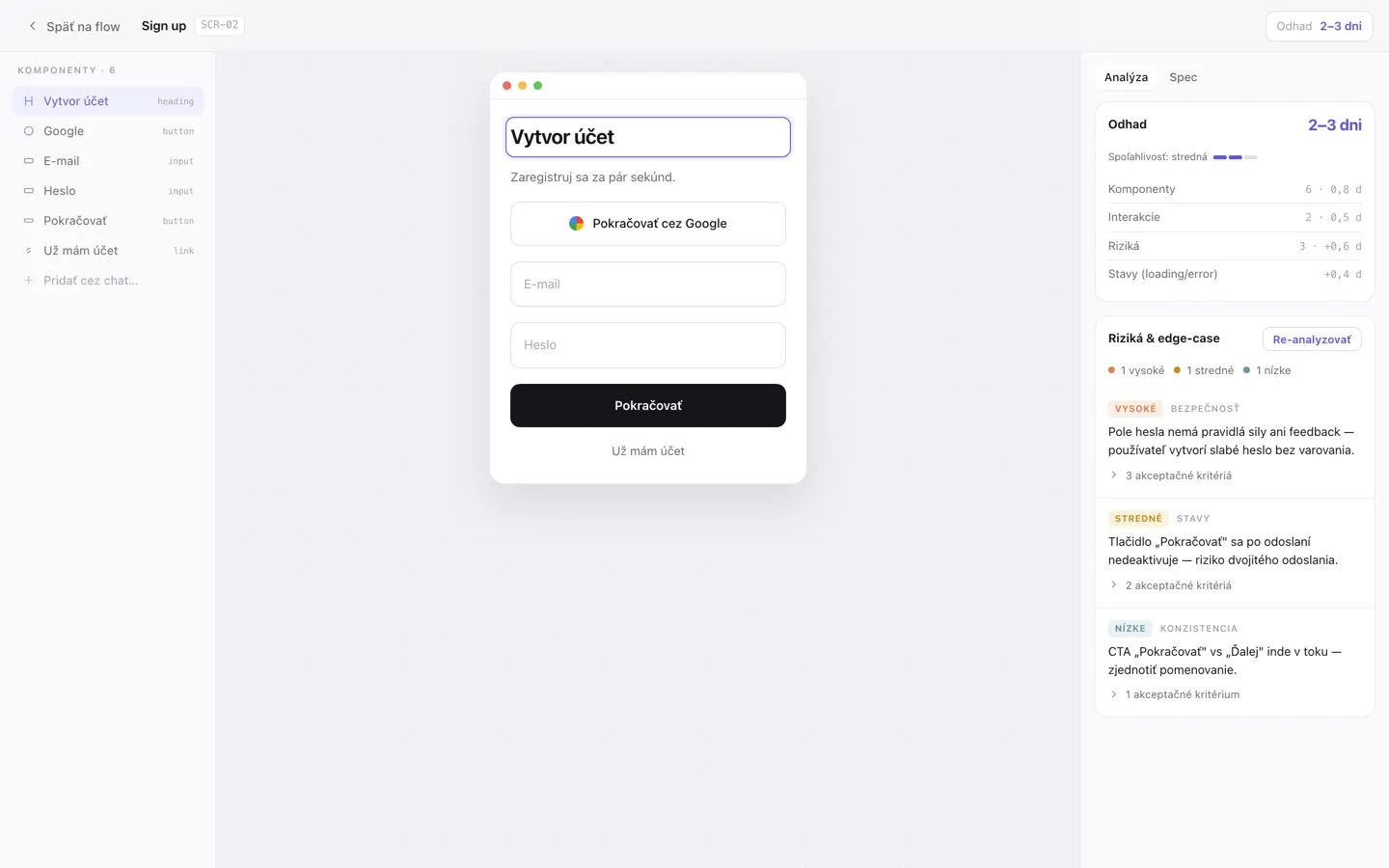
Find the gaps
Run the built-in agents to find missing states, unreachable screens and unclear requirements. Agree the answers with your client before you estimate.
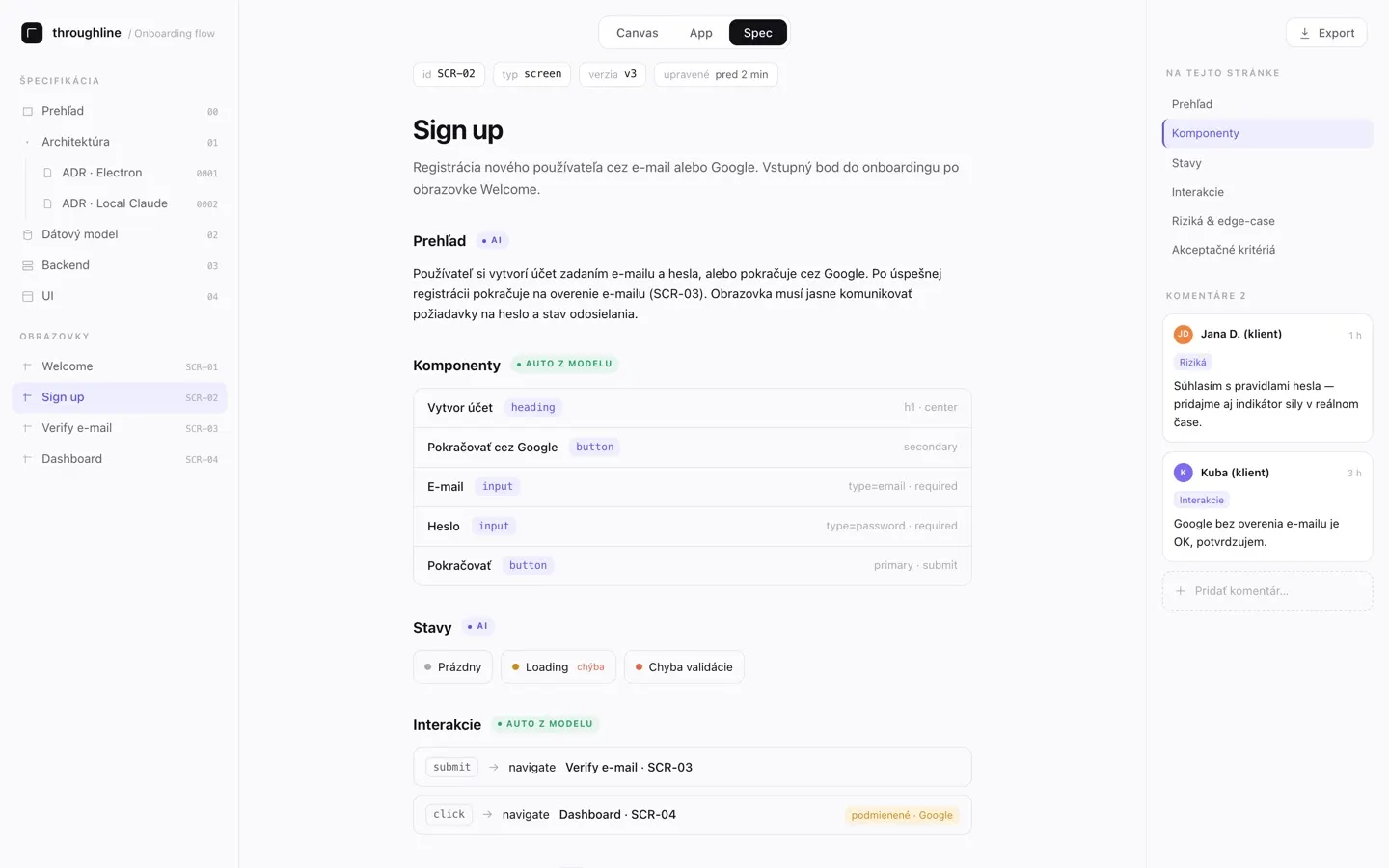
Hand over a specification
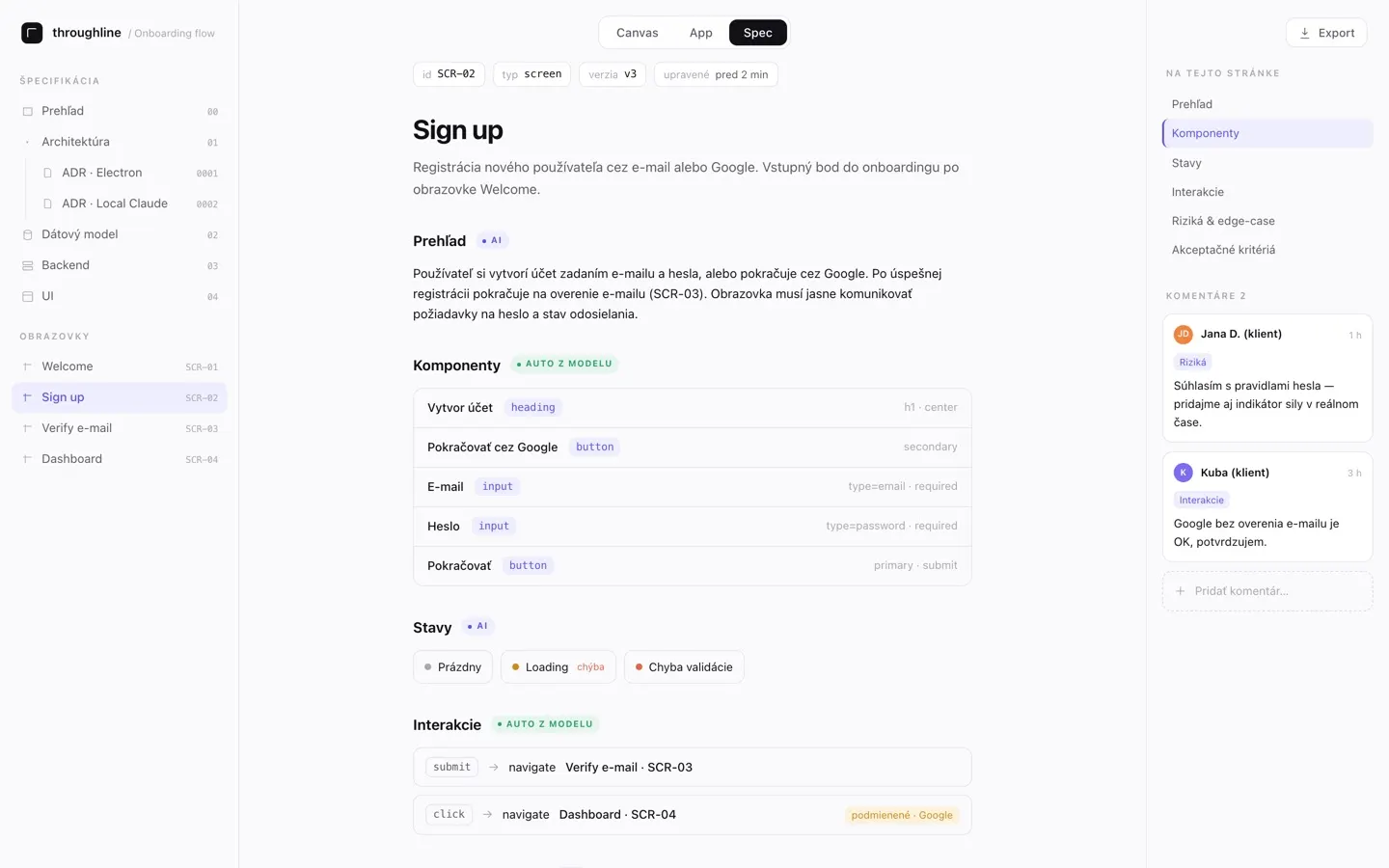
Generate the frontend, backend and database specification from the agreed plan, followed by an effort estimate that shows what drives it.
Manage changes
On Pro and higher plans, approve the specification and compare later changes with the approved version, so each change is agreed before anyone builds it.
Compared with scoping by hand
One project instead of a design file, a document and a spreadsheet
| Task | By hand | With Throughplan |
|---|---|---|
| Wireframes | Drawn separately in a design tool | Drawn from the conversation, and clickable |
| Specification | Written in a document that drifts from the design | Written from the same screens, and marked out of date when they change |
| Missing requirements | Found during development | Found by the agents before the estimate |
| Estimate | A spreadsheet based on experience | Built from the specification, with what drives it |
| Client feedback | Screenshots and email threads | Comments on the screen they are about |
| Changes after approval | Argued from memory | Compared with the approved version (Pro and higher) |
What your client sees
A plan your client can click through
A share link is enough to view the project and, if you allow it, to comment on its screens.
From the Pro plan, client accounts give a client access to several projects without using a team seat.
Client documents describe the scope of work. The price your client sees is always the one you set.
Questions agencies ask
Before you use it on a client project
Is Throughplan a design tool?
No. Throughplan creates wireframes and the documents needed to plan development. Your designer creates the final visual design, and your developers build the app.
Does the estimate include a price for my client?
No. The estimate describes the effort and what drives it. Client documents describe the scope of work, and you add your own price and commercial terms.
Does my client need an account?
No. A share link is enough to view a project and, if you allow it, to leave comments. Client accounts with access to several projects are available from the Pro plan.
Do I pay for the AI separately?
Yes. AI features run in the desktop app with your own AI subscription, paid separately. Throughplan does not charge a fee for each run, and every plan includes all the built-in agents.
Can my whole team work on the same project?
Yes. Team plans add members who work on the same projects, specifications and comments. The pricing page lists how many projects and members each plan includes.
Guides
Scoping guides for agencies
Practical guides to the steps above, for agencies that plan apps for clients.
How to scope an app project with a client
A practical process for agencies: turn a client’s app idea into an agreed scope — users, flows, gaps, a specification and an estimate — before the quote is signed.
What a software specification should contain: a checklist for agencies
A checklist of what a specification for a client app should cover — screens, behaviour, data, server operations, quality requirements and open questions — so developers can build without guessing.
How to estimate an app project for a client
How to build an app development estimate your client can follow: estimate from the specification, show what drives the number, state the assumptions and set the price separately.